How it works
See what’s done before you leave for work
Give each agent a job in plain words. It does the work, and when you open the app you see what’s done and what needs you.
Get started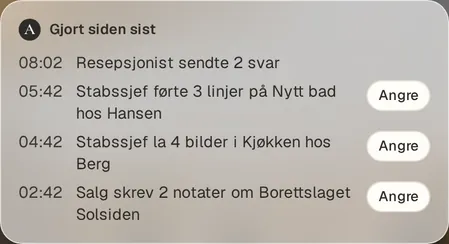
From the app. Customers and numbers are examples.
Give the agent a job
Explain the job in plain words, the way you would to a new colleague. The agent asks for what it needs to know.
It works in its own browser
It uses your tools in the browser, the way you do, and runs routines on a schedule.
You decide what needs your yes
By default, the agent asks before email goes out and before purchases. You can change that.
A day with Arq OS
An example.
- 6:45 AMInbox archives 31 newsletters and flags a contract.
- 7:30 AMChief of staff sends the morning summary.
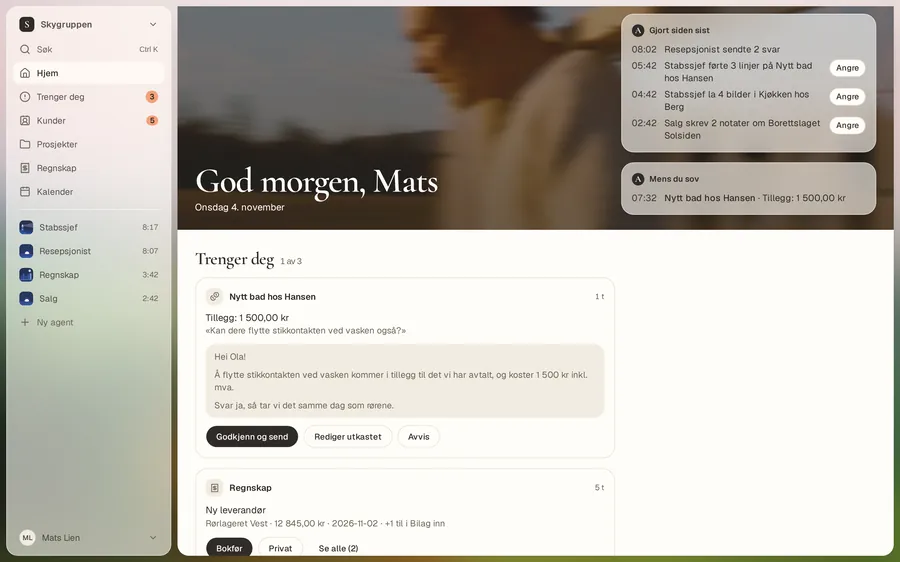
- 8:42 AMYou open Home. Three things need you.
- 12:10 PMYou approve the reply to Ola Hansen from your phone.
- 3:30 PMYou’re told what’s missing from the documentation for today’s job.
- 4:05 PMReceptionist books 7 appointments for tomorrow.
Home
The first thing you see in the morning
“Done since last time” shows what the agents did. Where something can be taken back, it says “Undo”. You can also have it read to you.
Needs you
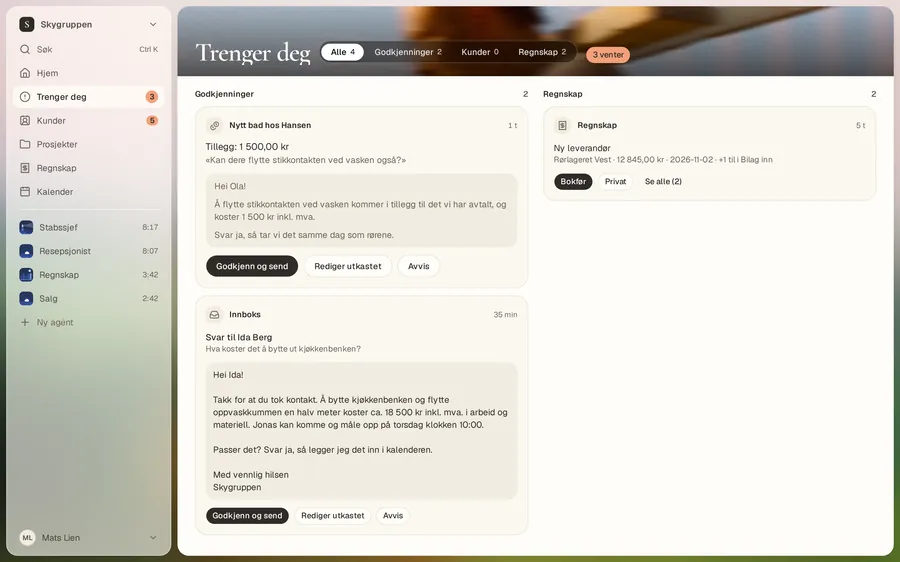
One card at a time
What needs your yes is in one place. Read the draft, approve, change or reject it, and move on to the next.
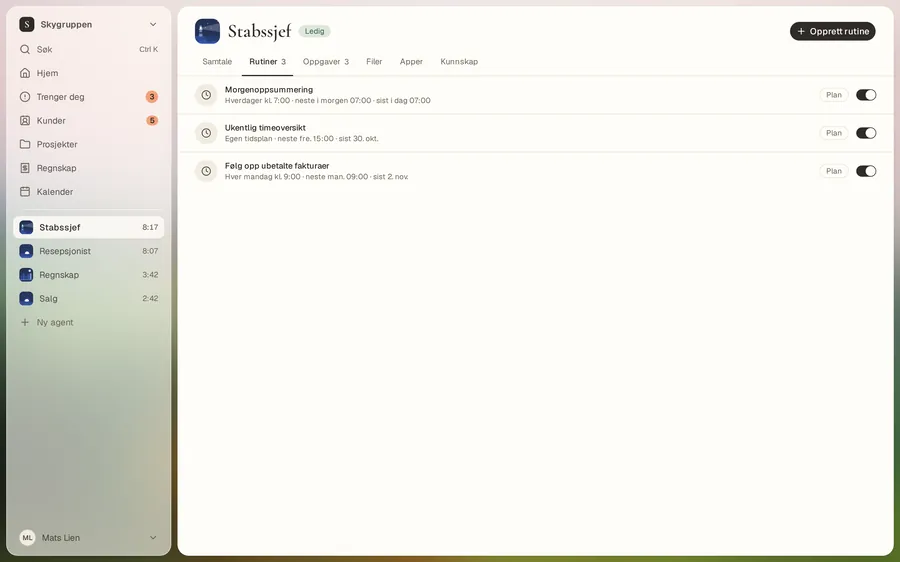
Routines
Routines you can read, change and pause
A routine is a job on a schedule, written in plain words. For example, a morning summary every weekday at 7:30.
The agent
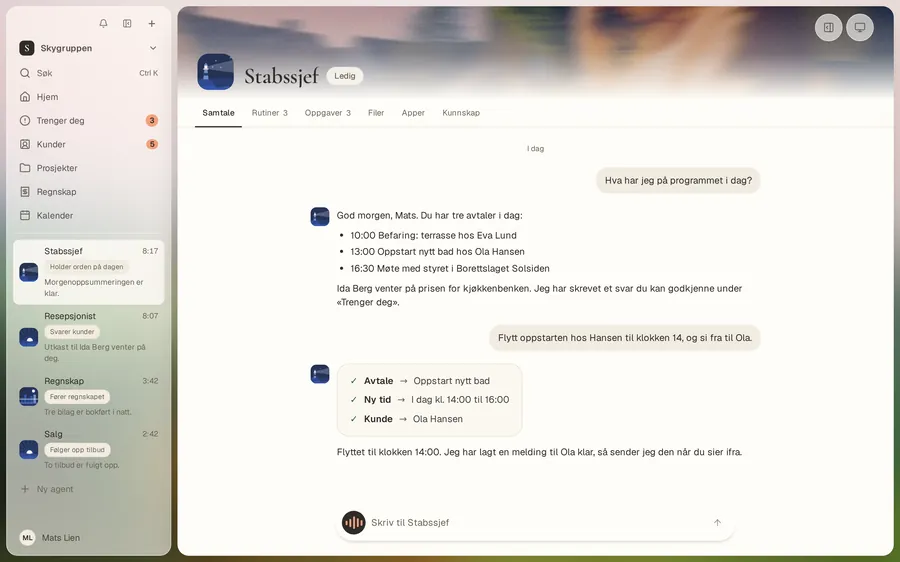
You see who did what
Each agent has its own conversation. There you see what you asked for, what it did, and what it is wondering about.
Good to know
- When the agent needs you, you take over. When you’re done, press “Release”.
- Payments through connected apps always ask first.
- You use Arq OS in the browser, and as an app you install from there.
Which job have you put off the longest?
Give it to an agent. 14-day free trial.
Get started